opencode-manager
 ██████╗  ██████╗███╗   ███╗
██╔═══██╗██╔════╝████╗ ████║
██║   ██║██║     ██╔████╔██║
██║   ██║██║     ██║╚██╔╝██║
╚██████╔╝╚██████╗██║ ╚═╝ ██║
 ╚═════╝  ╚═════╝╚═╝     ╚═╝
        opencode-manager
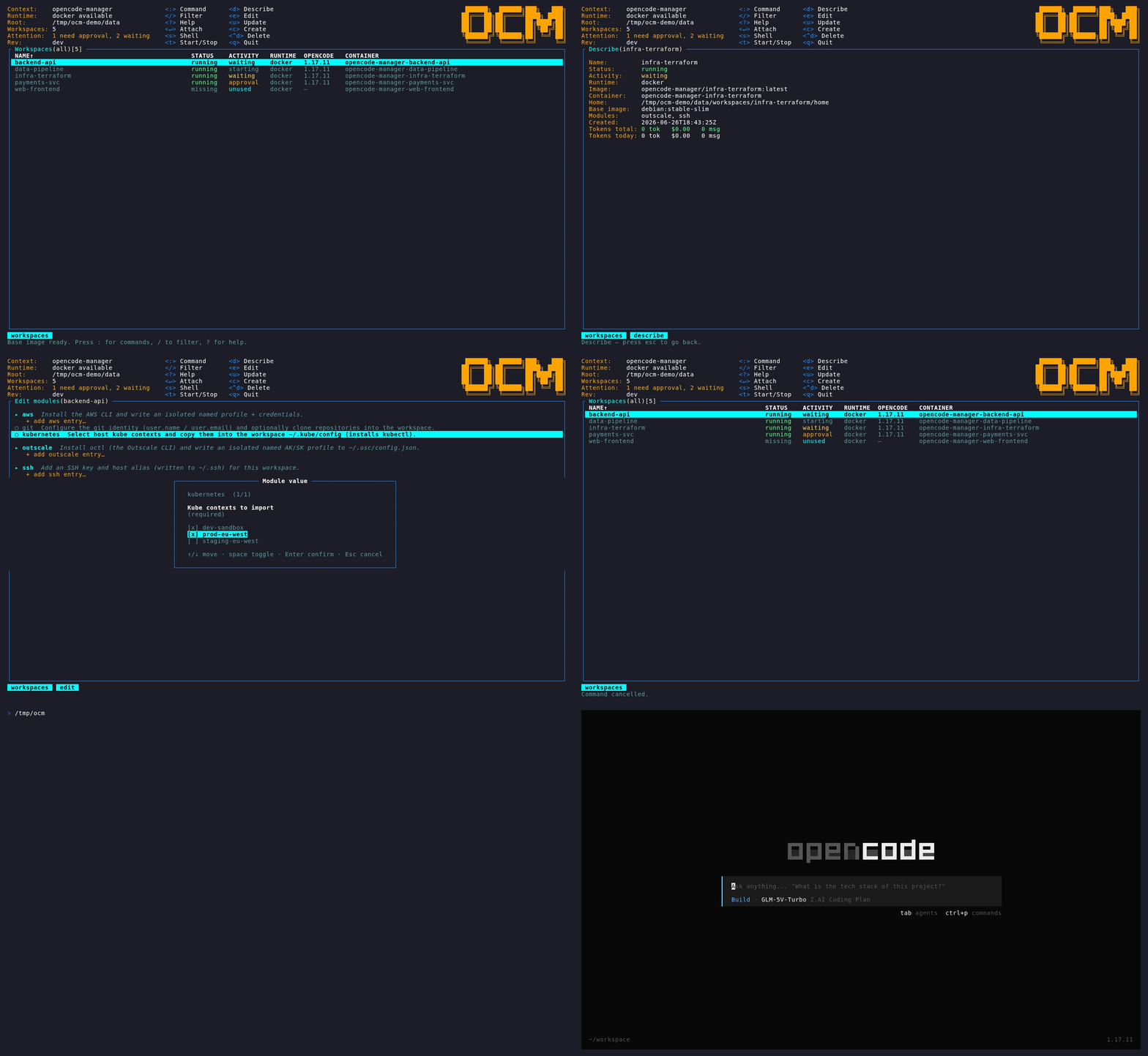
ocmis k9s for OpenCode. One terminal dashboard to create, attach, edit, and tear down OpenCode sessions — each one running in its own isolated, per-project container.
Why it exists
Coding agents are powerful because they can touch your whole machine — which is also the danger. Run OpenCode directly and one careless prompt can reach your cloud accounts, Kubernetes clusters, SSH keys, and tokens.
opencode-manager (ocm) gives every project its own isolated container,
configured with only the tools and credentials you explicitly grant it through
modules. You manage them all from a single keyboard-driven dashboard: one
keystroke spins a workspace up, drops you into its OpenCode session, or tears it
down.
How this documentation is organised
| Section | What you'll find |
|---|---|
| Installation | Requirements and how to install ocm. |
| Getting Started | From zero to your first coding session. |
| Concepts | Workspaces, modules, templates, and the security model. |
| TUI Guide | Every page, key, and column in the dashboard. |
| CLI Reference | The non-interactive commands for automation. |
| Configuration | Every option in config.yaml. |
| Modules | Using the built-in modules. |
| Writing Modules | Authoring your own modules. |
| Templates | Reusable module recipes. |
| Troubleshooting | Common problems and fixes. |
Design documents
These live at the repository root and describe intent and internals rather than usage:
- ARCHITECTURE.md — design, workspace & module model, security principle.
- PROJECT.md — implementation plan and roadmap.
- AGENTS.md — contributor and agent guidelines.